Editor’s note: This article was first published in June 2013, in the wake of the PRISM surveillance revelations; the email encryption tools and services it describes reflect that time and may have changed since.
For anyone worried about the security of their emails in the wake of PRISM, the United States’ mass surveillance programme, who wants the peace of mind of knowing that their emails are completely secure and unreadable to any person or machine other than the recipient, there is an impressive free tool called Infoencrypt that makes your emails unreadable to everyone except the person you send them to.
When you open the tool, what you see is pretty simple: a box to write your message and a field to enter a password. Infoencrypt uses that password to encrypt the content of the message.
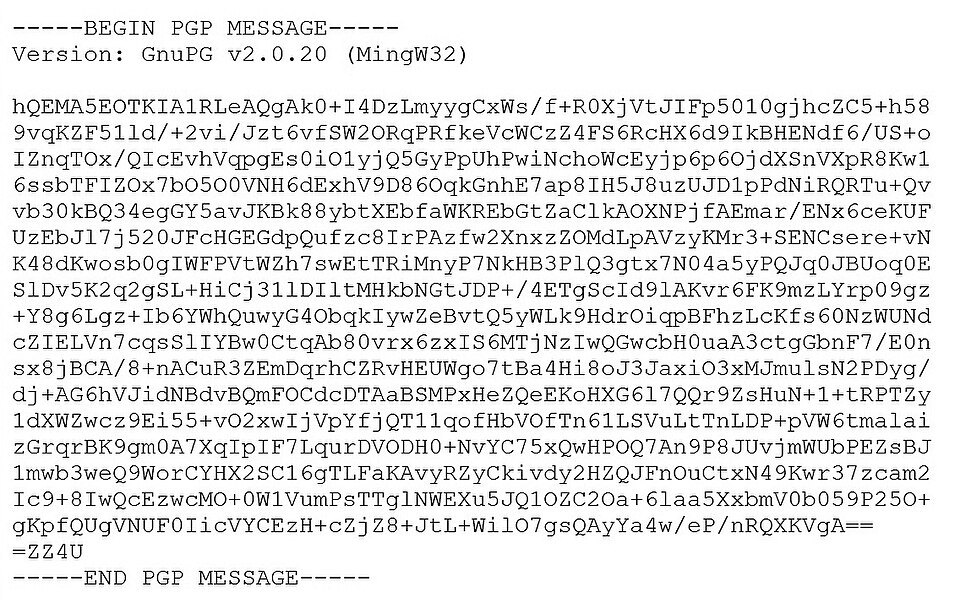
Let’s say you want to encrypt “Hello world, how’s it going, how’s the economy….” and you use “damnawful4789” as the password. The encrypted result is what you send and what your recipient receives. They won’t be able to read it until they have the password.
All you have to do to send the message is copy and paste it into an email and hit send. The only way the recipient can read the message is by pasting it into the same tool and typing in the correct password; only then will Infoencrypt show the decrypted message.
The tool’s encryption is effective because it doesn’t simply substitute some characters for others. In other words, it doesn’t use a “P” to represent “H” or a “2” to represent “F”, for example. This method lets the same character stand for several different characters. Even the number of letters in the encoded message doesn’t match the length of the real message. So it appears to be unbreakable. Good news for anyone worried about computer security.
Infoencrypt gives the following tips to help you choose a good password, since it is the only weak point through which the message could be hacked:
- Use passwords at least 8 characters long.
- Don’t use simple passwords (such as “123456” or “Melisa”), as they are easy to guess.
- Don’t send passwords in the encrypted message. Pass the password on through another channel, such as by phone.
- Use a different password for each message.
This article was originally published by Business Insider.
Featured image: Cqdx, CC BY-SA 3.0, via Wikimedia Commons.